
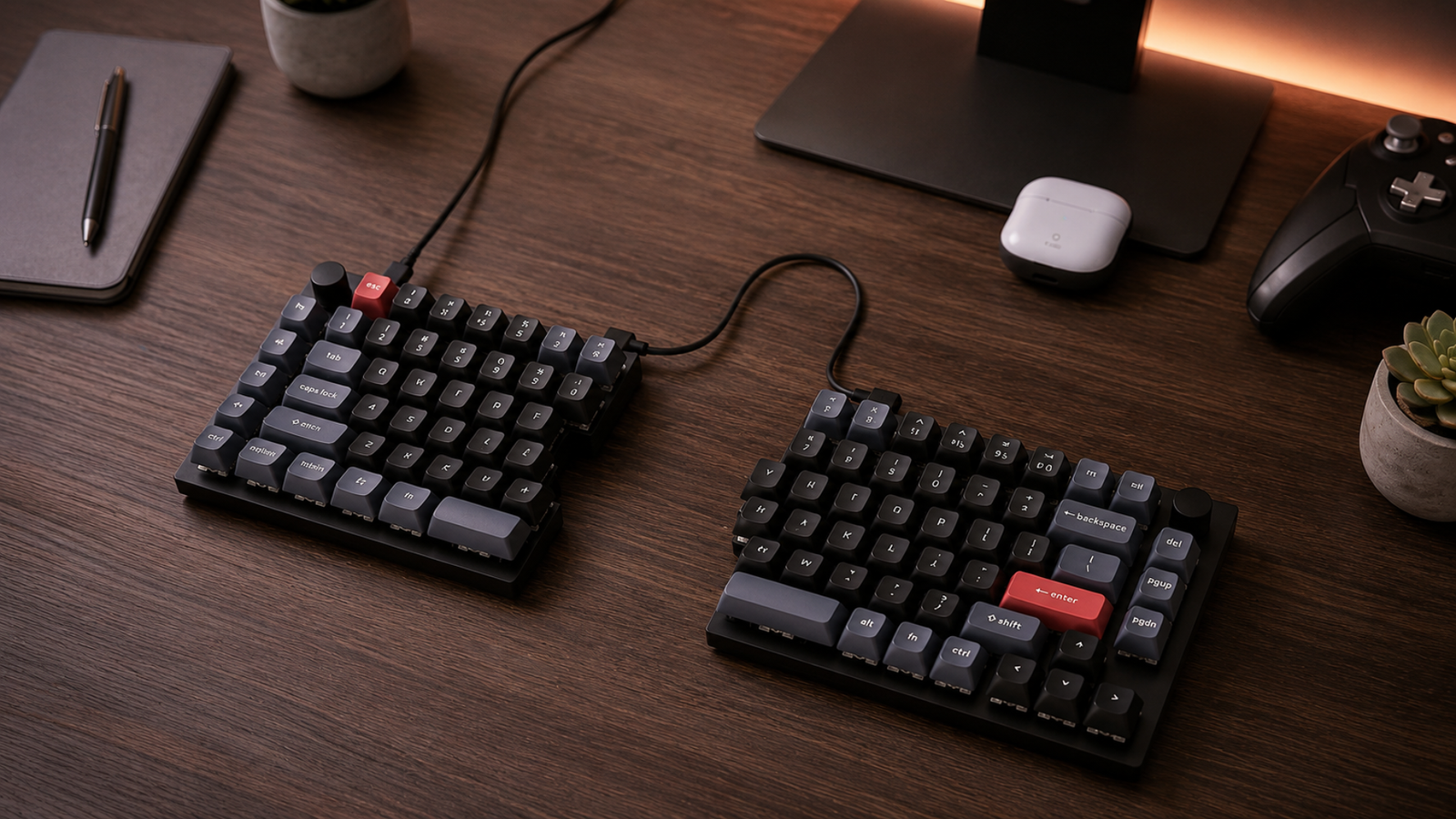
Finding the best split mechanical keyboard for programming is essential if you spend long hours typing code and want to prevent debilitating wrist pain, forearm tightness, or carpal tunnel syndrome. Typing on a standard flat keyboard forces your hands into unnatural positions pronation and ulnar deviation which often lead to fatigue, wrist pain, and repetitive strain injuries (RSI).
Transitioning to a split mechanical keyboard for programming is one of the most effective ways to align your hands, wrists, and shoulders in a neutral position. By separating the keyboard into two independent halves, you can place them at shoulder width, tilt them (tenting) to match your natural forearm angle, and significantly reduce static muscle strain, which aligns with ergonomic safety guidelines from OSHA for computer workstations. Pairing your keyboard setup with the best ergonomic mouse for wrist pain is the ultimate way to create a completely pain-free workspace.
In this guide, we evaluate the 5 best split mechanical keyboards for coding in 2026, comparing their customizability, learning curves, and build quality.
Finding the Best Split Mechanical Keyboard for Programming
1. Cloud Nine C989 Ergo (Best Overall & Full Size)
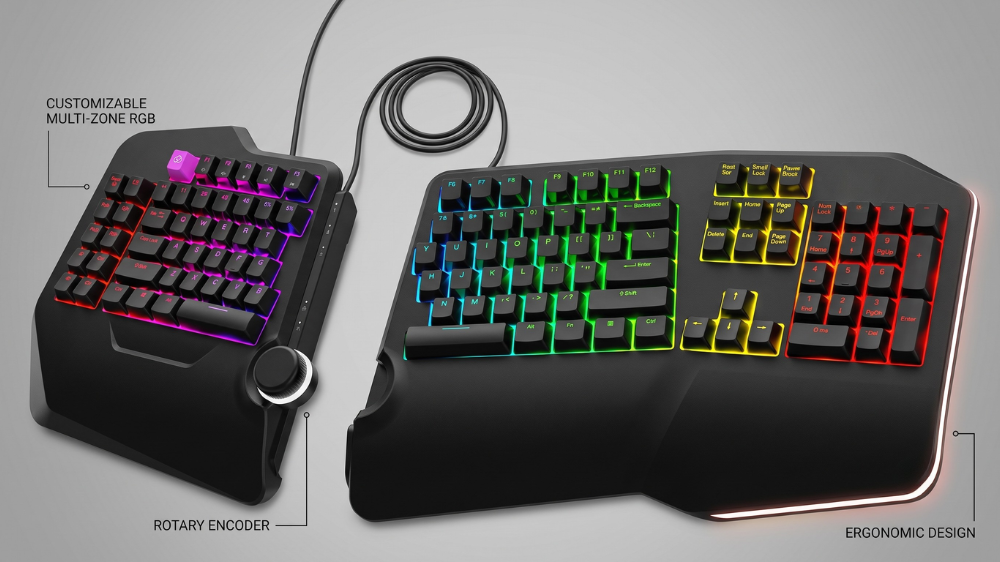
The Cloud Nine C989 Ergo is our top pick if you want a highly versatile split mechanical keyboard for programming that doesn’t sacrifice productivity tools. Unlike most split layouts that remove keys, the C989 is a full sized mechanical keyboard featuring a builtin number pad, multimedia dial, and dedicated macro keys, making it ideal for programmers and data analysts.
It features a builtin 7 degree tenting angle and high-quality wrist cushions, allowing your forearms to rest in a neutral position to reduce wrist pain during long coding sessions.
- Switches: Cherry MX Brown, Blue, or Red mechanical switches
- Keycaps: Premium double shot keycaps with full RGB backlighting
- Unique Feature: Built-in tenting angle, wrist rests, and dedicated macro key layouts
Pros & Cons:
2. Kinesis Advantage360 Professional (Best for Advanced Ergonomics)
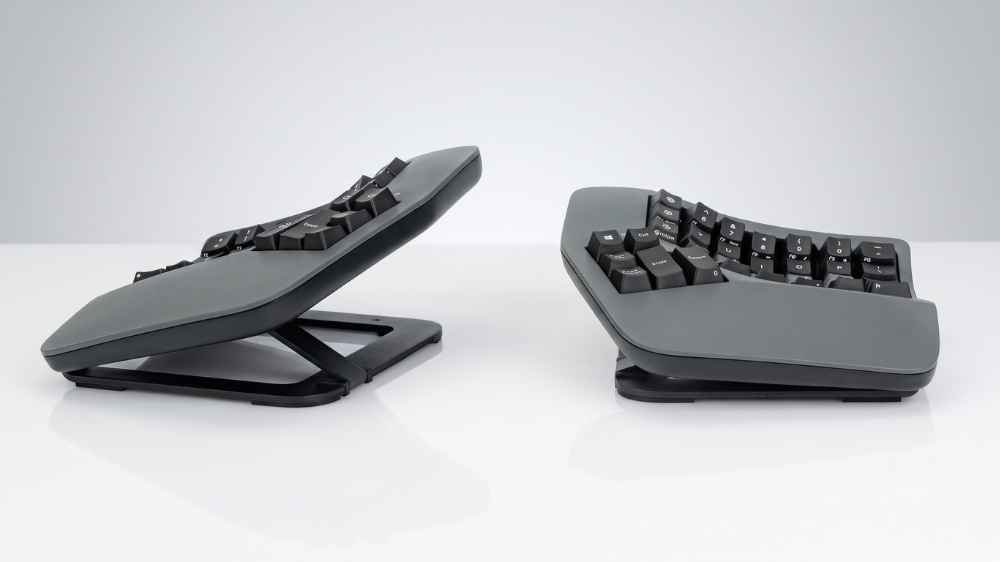
If you are already suffering from severe wrist pain or carpal tunnel syndrome, choosing an advanced split mechanical keyboard for programming like the Kinesis Advantage360 Professional is the ultimate ergonomic investment. It features deep concave keywells, a columnar layout (where keys are aligned vertically to match the natural paths of your fingers), and integrated palm supports.
The keyboard forces you to type with a neutral wrist posture and utilizes thumb clusters to offload heavy use keys like Enter, Space, Backspace, and Delete from your weaker pinky fingers to your stronger thumbs.
- Firmware: ZMK (highly customizable, cloud based configurator)
- Tenting: Built-in adjustable tenting (three heights)
- Connectivity: Fully wireless Bluetooth connection between the halves and your PC
Pros & Cons:
3. Mistel Barocco MD770 (Best Compact 75% Split)
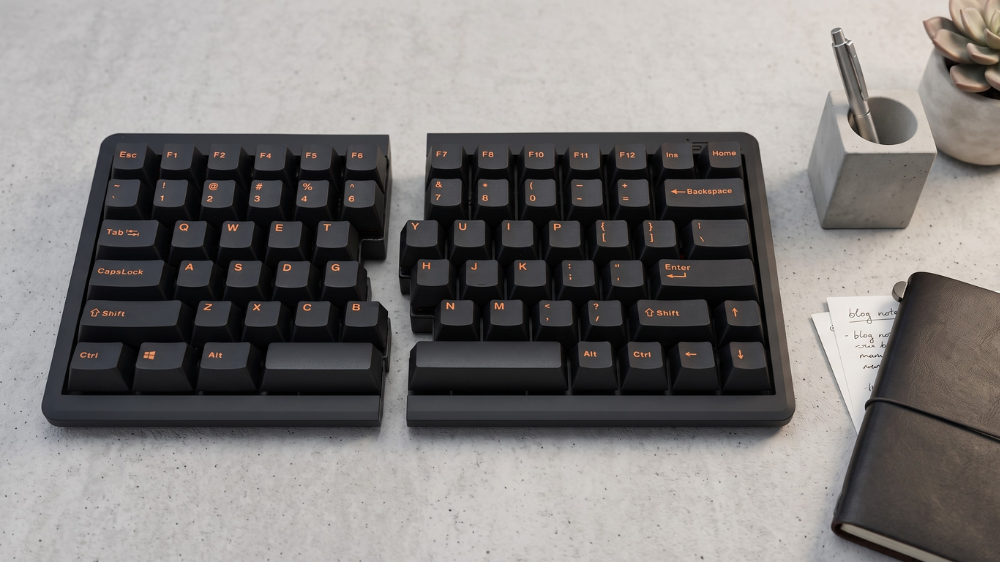
If you want a compact setup that still retains dedicated arrow keys and a function row, the Mistel Barocco MD770 is an exceptional split mechanical keyboard for programming. It features a 75% layout split into two distinct halves, which are connected via a USB C link cable.
The MD770 features double shot PBT keycaps that resist wear and finger oils. With full onboard macro programming, you can map shortcuts and scripts directly to the keys without installing external software.
- Switches: Cherry MX mechanical switches (Brown, Red, Blue, or Silent Red)
- Keycaps: Premium double shot PBT keycaps
- Programmability: Full onboard macro recording and key mapping
Pros & Cons:
4. Kinesis Freestyle Pro (Best for Custom Separation)
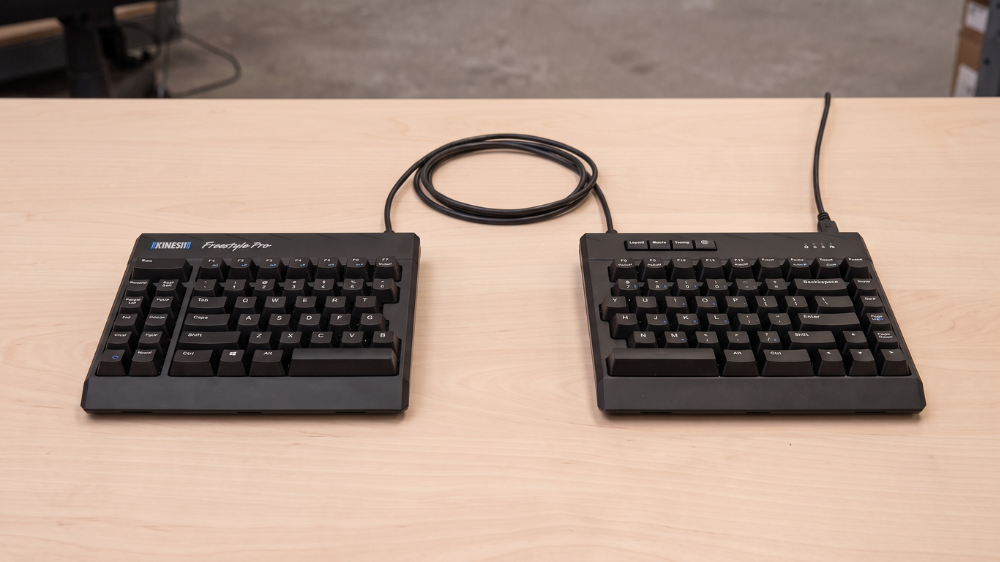
The Kinesis Freestyle Pro is a tenkeyless (TKL) split mechanical keyboard for programming that offers up to 20 inches of split separation. This adjustable distance allows you to place the keyboard halves exactly where your arms sit naturally, reducing shoulder constriction and hunching.
It features Cherry MX Quiet Red or tactile Brown switches and utilizes Kinesis’s SmartSet Engine. This browser-based app allows you to remap any key, create macros, and customize layouts instantly.
- Switches: Cherry MX Brown or MX Silent Red mechanical switches
- Split Cable Length: Adjustable up to 20 inches
- Firmware Engine: SmartSet Programming Engine (no software install required)
Pros & Cons:
5. Keychron Q11 (Best Budget Friendly Traditional Split)
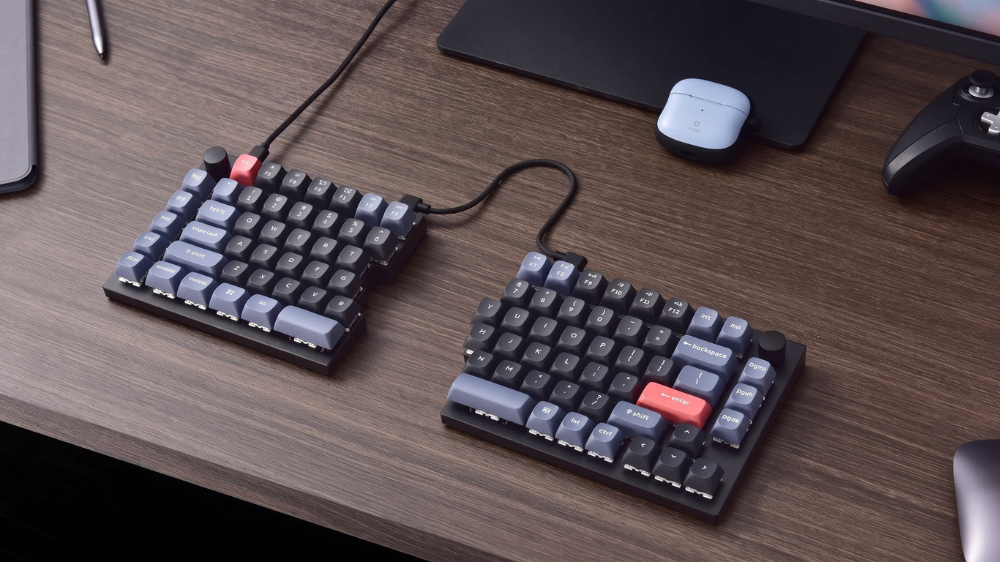
If you want the ergonomic benefits of a split design but prefer a solid CNC aluminum chassis, the Keychron Q11 is the most budget friendly split mechanical keyboard for programming on our list. It features a standard 75% layout split into two halves connected by a bridge cable.
It has zero learning curve because it retains the standard staggered key layout. It also features dual programmable rotary knobs (great for scrubbing timelines, adjusting volume, or zooming code) and full QMK/VIA support for layout adjustments.
- Firmware: QMK/VIA (simple browser-based remapping)
- Build: Premium CNC machined aluminum body
- Layout: Standard 75% layout with dedicated arrow keys and rotary knobs
Pros & Cons:
Buyer’s Guide: Understanding Split Keyboard Ergonomics
Before buying a split mechanical keyboard for programming, it is important to understand the different layout types and ergonomic terms:
Columnar (Ortholinear) vs. Row Staggered
- Row Staggered (Standard): Keys are offset horizontally. This is the layout on 99% of laptops and standard keyboards. It is easy to learn but forces your fingers to move at diagonal angles.
- Columnar / Ortholinear (Ergonomic): Keys are aligned in straight vertical columns. Ortholinear uses a grid, while Columnar staggers the columns vertically to match the different lengths of your fingers. This reduces diagonal reaching and finger fatigue.
The Importance of Tenting
Tenting refers to raising the inner edges of the keyboard halves so that they form a tent shape. This allows your hands to rest at a natural angle (like holding a steering wheel), preventing forearm pronation (twisting your forearm flat against the desk), which is a major contributor to carpal tunnel pressure.
Programmable Layers & Firmware (QMK / VIA / ZMK)
Programming on a split keyboard often means working with a smaller physical layout (like a 60% or 80% board). To access brackets, numbers, and function keys, you use layers. By holding down a thumb key, you activate a secondary layer where your standard keys perform different actions (e.g., `I`, `J`, `K`, `L` become arrow keys). This keeps your hands in the home row, increasing your coding speed and reducing wrist movement.
Frequently Asked Questions (FAQ)
Why should you use a split mechanical keyboard for programming?
Programmers spend hours typing, making them highly susceptible to wrist strain. Using a split mechanical keyboard for programming allows you to separate the halves to match your shoulder width, reducing chest constriction and neck strain. Mechanical switches also require less bottom out force, reducing finger fatigue.
Is a split mechanical keyboard for programming hard to learn?
If you choose a row staggered split keyboard like the Keychron Q11 or UHK 80, there is almost no learning curve. However, if you switch to a columnar or contoured layout, adopting a split mechanical keyboard for programming will take between 1 to 3 weeks to build new muscle memory.
Does a split mechanical keyboard for programming prevent carpal tunnel?
Yes. By allowing for tenting and custom shoulder width placement, using a split mechanical keyboard for programming eliminates forearm pronation and wrist deviation. This keeps your median nerve free from compression, preventing carpal tunnel flareups and wrist tendinitis.